01
Required
Find on Amazon Raspberry Pi 5 8 GB
Use the 8 GB model specified by the project. A bundle is acceptable only when its power supply and cooling meet the requirements below.
A standalone voice translator that records speech, transcribes it, translates locally with Gemma 4 and speaks the result without a cloud API after its models are cached.
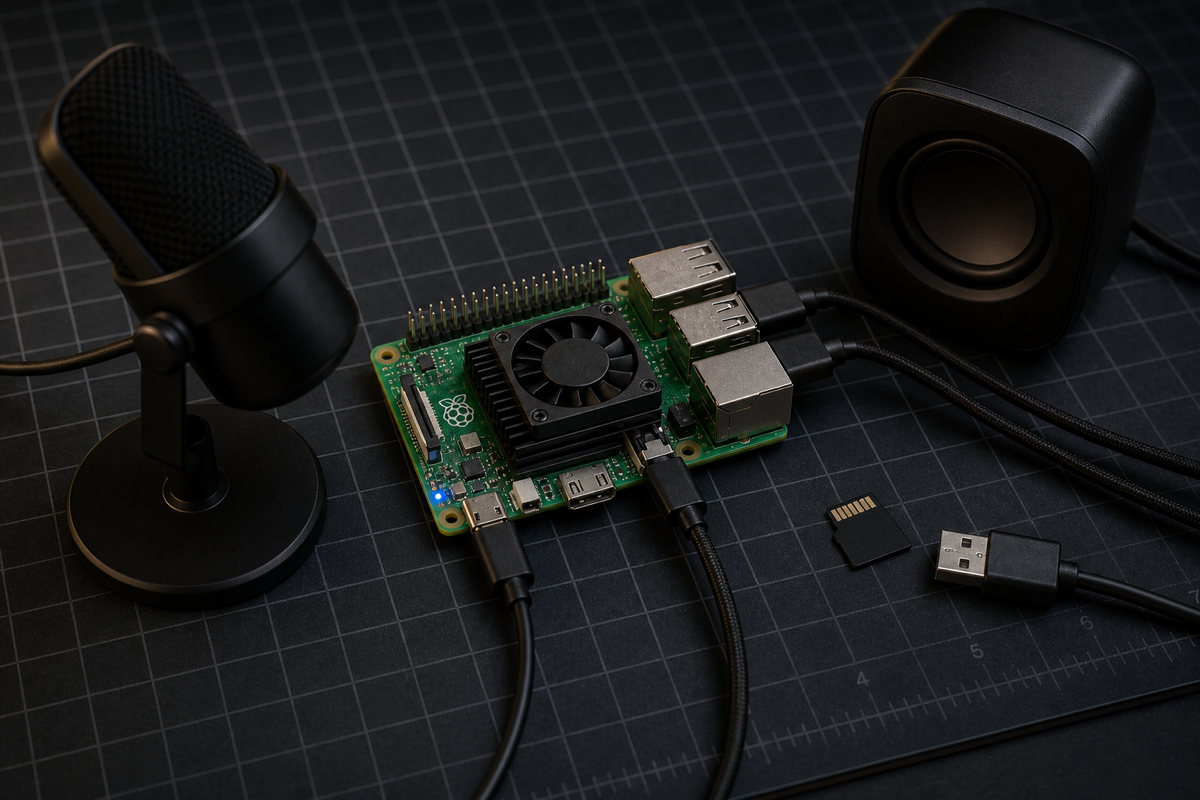
Original demonstration
Bill assembles the Raspberry Pi setup, installs the full stack, fixes the current dependency-script failure, adds French output and disconnects networking to prove the final translation stays local.
Video: Build the Gemma Translator: No Internet Required by DroneBot Workshop. LocalClaw does not rehost or modify the video.
Appliance gate
The project documents a Raspberry Pi 5 with 8 GB RAM. Its 2.6 GB model and voice pipeline are too demanding for this guide to promise compatibility with smaller boards. Use a stable 27 W supply and active cooling for sustained local inference.
Verification boundary: LocalClaw checked the hardware gate, deployment flow, model identifier, language list and known setup failure against DroneBot Workshop's tutorial, the current Google repository and the official LiteRT-LM model card. Reviewed runtime commit: 47f9b3ba40ca. LocalClaw has source-reviewed this guide but has not physically reproduced this build.
Parts list
These buttons open regional Amazon searches through LocalClaw. Confirm the exact specifications on the seller page before ordering.
Use the 8 GB model specified by the project. A bundle is acceptable only when its power supply and cooling meet the requirements below.
Use a 5 V / 5 A supply suitable for Raspberry Pi 5, especially when the microphone, speaker and storage draw power over USB.
Local inference keeps the CPU busy. Choose the official active cooler or a Pi 5 case with a real fan and unobstructed airflow.
A class-compliant USB microphone is the simplest path. The creator used a compact stick-style USB microphone and verified it before installation.
Use a USB or Bluetooth speaker that Raspberry Pi OS exposes as an audio output. A small USB laptop speaker is sufficient.
The creator specifies 32 GB minimum. A reputable 64 GB A2 card gives safer headroom for Raspberry Pi OS, the 2.6 GB download, its imported copy and language assets.
The documented setup uses a local display and keyboard. The final kiosk also relies on keyboard shortcuts for recording and language selection.
Affiliate disclosure: As an Amazon Associate, LocalClaw earns from qualifying purchases. The original creators do not endorse these purchasing links, and prices or availability may change.
Step-by-step
The order below follows the creator's successful build while pinning the reviewed Google commit. Commands are independently organized by LocalClaw and include checks before the long model download.
Install the active cooler, insert the prepared microSD card, then connect the USB microphone, speaker, display, keyboard, network and 27 W power supply.
Flash 64-bit Raspberry Pi OS Bookworm, boot to the desktop, open a terminal and update the system before installing the build, audio and service tools used by the tutorial.
sudo apt update && sudo apt full-upgrade -y
sudo apt install -y git python3-venv python3-pip ffmpeg libasound2-dev pulseaudio-utils alsa-utils lsof netcat-openbsd nodejs npmThe reviewed deployment script writes an LXDE X11 kiosk autostart entry. Select X11 for the tutorial path, reboot and return to the terminal.
sudo raspi-config nonint do_wayland W1
sudo rebootList the capture and playback devices, then make a short recording and play it back. Do not start the AI installation until this simple audio loop works.
arecord -l
aplay -l
pw-record test.wav
pw-play test.wav
rm test.wav
Note: Press Ctrl+C to stop pw-record before running pw-play. An HDMI monitor may appear as an additional audio output.
Pin the source revision reviewed by LocalClaw so that a later upstream change cannot silently alter this guide.
git clone https://github.com/google-gemma/gemma-translator.git
cd gemma-translator
git checkout 47f9b3ba40ca3650fb80ee42264a76d6a2b5f8ba
chmod +x setup.sh download_model.sh start.sh deploy-pi.shAt the reviewed commit, setup.sh enables pip hash enforcement while requirements.txt contains no hashes. Remove only that incompatible flag before deployment.
grep -- --require-hashes setup.sh
sed -i 's/--require-hashes //' setup.sh
Note: This fix is specific to the reviewed source state. Inspect setup.sh first and skip the edit if upstream has already removed the flag.
The script installs the Python environment, builds the React frontend, imports the 2.6 GB LiteRT-LM model, creates the systemd service and configures Chromium kiosk mode.
./deploy-pi.shNote: DroneBot Workshop observed roughly 20–40 minutes for this stage. Keep at least 6 GB free and do not interrupt the model import.
After reboot, Chromium should open the local interface. Select the source and target languages, hold Z while speaking, then release it to transcribe, translate and play the result.
sudo reboot
systemctl status --no-pager gemma-translator.serviceHello, my name is Bill.Where is the nearest railway station?Please speak more slowly.Note: The kiosk can appear before the backend is ready. Wait several seconds before treating an initial localhost error as a failure.
Use every language pair you plan to rely on while networking is still available. Then disable Wi-Fi or unplug Ethernet and repeat a translation.
Note: DroneBot Workshop demonstrated English speech translated to French output with Ethernet unplugged and no Wi-Fi configured.
Expected performance
Offline text translation inside a voice pipeline — not a simultaneous interpreter. The Raspberry Pi CPU runs transcription, Gemma translation and speech synthesis in sequence. Expect a noticeable pause after releasing the record key.
Troubleshooting
This project spans audio devices, Python packages, a 2.6 GB model, systemd and a Chromium kiosk. Isolate each layer instead of repeatedly reinstalling the entire image.
At the reviewed commit, requirements.txt has pinned versions but no hashes. Confirm setup.sh still contains --require-hashes, remove that flag as shown in the guide, then rerun deploy-pi.sh.
Run arecord -l and aplay -l again, then repeat the pw-record/pw-play test. Set the desired Raspberry Pi OS input and output devices before restarting the translator service.
The kiosk can launch before the Python backend and LiteRT-LM server finish starting. Wait several seconds, then inspect systemctl status gemma-translator.service if the page does not recover.
The original UI targets a 480×320 display. Use Chromium zoom for a quick check, or follow DroneBot Workshop's documented device-scale-factor adjustment for the kiosk autostart entry.
This is a model-coverage boundary, not a microphone failure. The reviewed code supports six speech-input languages; the creator's French extension is output-only.
Reconnect temporarily and exercise that language pair so Moonshine can download its required assets. Disconnect again only after the pair succeeds once online.
Sources and credit
DroneBot Workshop published the independent Raspberry Pi tutorial and demonstrated the finished translator, including an offline English-to-French output test. A small Google Creative Lab team created the Apache-2.0 project. Google states that it is not an officially supported Google product. LocalClaw's page is independent and does not imply endorsement by any cited creator, model author or tool maintainer.
License note: The Google Gemma Translator repository and the referenced LiteRT-LM Gemma 4 E2B package identify Apache 2.0 licensing. LocalClaw does not redistribute the repository, model, tutorial text or video. The project is experimental and not an officially supported Google product.
Questions
It needs internet access during installation and the first download of every required model or language asset. Once those assets are cached, the demonstrated translation pipeline can run without Wi-Fi, Ethernet or a cloud API.
This guide does not claim that compatibility. The official project specifies Raspberry Pi 5 with 8 GB RAM, and LocalClaw keeps that hardware gate rather than extrapolating to smaller boards.
The source interface includes Arabic, English, Spanish, Japanese, Chinese and Korean for input and output. DroneBot Workshop also documented French as an output-only addition because French speech transcription is not available in the reviewed Moonshine configuration.
It is not instant. The official model card reports 7.6 decode tokens per second and 7.8 seconds to first token on a Raspberry Pi 5 reference benchmark, while the complete voice pipeline adds transcription and speech synthesis.
No. The public repository credits a small Google Creative Lab team but explicitly says the project is not an officially supported Google product.
No. DroneBot Workshop demonstrated the completed translator. LocalClaw reviewed the tutorial, source, model package, hardware requirements and installation commands but has not physically reproduced the appliance.