01
Required
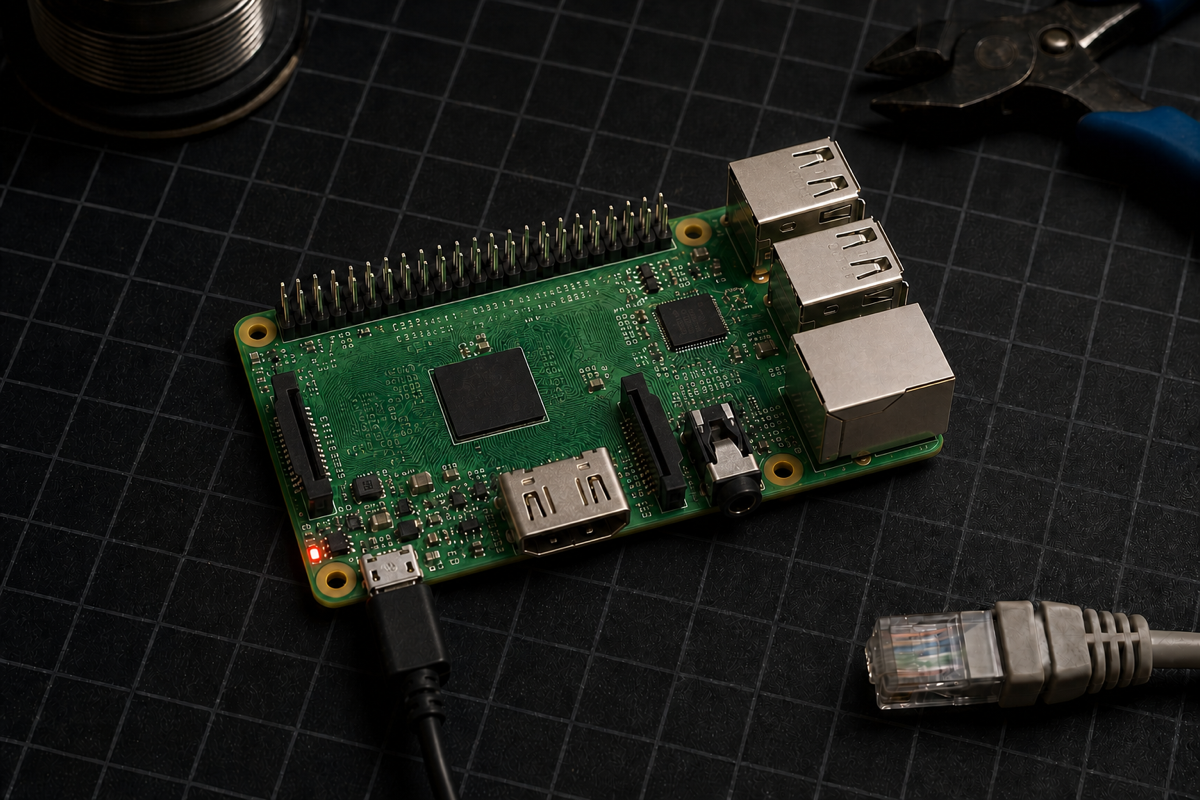
Find on Amazon Raspberry Pi 1 Model B+ 512 MB
Confirm the listing says Model B+ and 512 MB. Vintage stock and used-board availability vary; do not substitute a Pi Zero or assume a newer Pi follows the same ARMv6 guide.
A source-reviewed vintage-hardware experiment that cross-compiles llama.cpp for ARMv6 and runs Falcon-H1 Tiny entirely offline on a Raspberry Pi 1 Model B+.
Original demonstration
The original experiment stays attached to the guide. Playback uses YouTube's privacy-enhanced player and starts only after you choose to play it.
Video: I Ran a Local LLM on 12-Year-Old Raspberry Pi (It Actually Worked!) by Better Stack. LocalClaw does not rehost or modify the video.
Vintage hardware gate
The documented target is the 2014 Model B+ with a BCM2835, 512 MB RAM and ARMv6 userland. It has Ethernet but no onboard Wi-Fi. Newer Raspberry Pi models need a different build target and will not follow this exact path.
Verification boundary: LocalClaw reviewed the build flags against llama.cpp commit 1ec7ba0c14f33f17e980daeeda5f35b225d41994 from the video publication date, Dockcross's ARMv6 toolchain, TII's official GGUF files and Raspberry Pi's hardware documentation. Reviewed runtime commit: 1ec7ba0c14f3. LocalClaw has source-reviewed this guide but has not physically reproduced this build.
Parts list
These buttons open regional Amazon searches through LocalClaw. Confirm the exact specifications on the seller page before ordering.
Confirm the listing says Model B+ and 512 MB. Vintage stock and used-board availability vary; do not substitute a Pi Zero or assume a newer Pi follows the same ARMv6 guide.
Raspberry Pi OS Lite and the sub-100 MB model fit easily, but a reputable 16 GB card gives useful headroom for setup and logs.
Use a stable micro-USB supply made for Raspberry Pi-era boards. The Pi 1 B+ does not use USB-C power.
The Model B+ has 100 Mb/s Ethernet and no onboard Wi-Fi. Wired networking is the simplest reliable path for SSH and file transfer.
Affiliate disclosure: As an Amazon Associate, LocalClaw earns from qualifying purchases. The original creators do not endorse these purchasing links, and prices or availability may change.
Step-by-step
Better Stack did not publish a companion repository or command transcript. LocalClaw reconstructed this source-reviewed path from the demonstrated method and pins the reviewed llama.cpp commit for reproducibility.
Use a real Raspberry Pi 1 Model B+ and a separate Docker host. Dockcross documents linux-armv6 for Raspberry Pi, but its published images require an x86_64 host.
Use Raspberry Pi Imager to install the 32-bit Lite image. Preconfigure a hostname, user and SSH, then boot the Pi with Ethernet connected.
Download Raspberry Pi Imager →
Note: The Model B+ has no onboard Wi-Fi. Raspberry Pi Imager can store wireless settings, but they only help if you add a compatible USB Wi-Fi adapter.
Pin the llama.cpp revision reviewed against the video publication date so later upstream changes do not silently alter the build.
git clone https://github.com/ggml-org/llama.cpp.git
cd llama.cpp
git checkout 1ec7ba0c14f33f17e980daeeda5f35b225d41994Dockcross provides the Raspberry Pi ARMv6 + VFP2 toolchain. Generate its local wrapper script from the official container image.
Dockcross linux-armv6 documentation →
docker run --rm dockcross/linux-armv6 > ./dockcross-linux-armv6
chmod +x ./dockcross-linux-armv6Disable host-native tuning, shared libraries and OpenMP, then explicitly target ARMv6. The Dockcross image supplies the ARMv6 hard-float/VFP2 toolchain; no NEON target is enabled.
./dockcross-linux-armv6 cmake -S . -B build-armv6 -DCMAKE_BUILD_TYPE=Release -DBUILD_SHARED_LIBS=OFF -DGGML_NATIVE=OFF -DGGML_OPENMP=OFF -DGGML_CPU_ARM_ARCH=armv6
./dockcross-linux-armv6 cmake --build build-armv6 --target llama-completion -j2
Note: LocalClaw source-reviewed these flags and the llama-completion target, but did not execute the cross-build because no Docker daemon or Raspberry Pi 1 hardware was available in the validation environment.
Start with TII's official Q4_0 file. It is 57.2 MB and uses the simpler legacy 4-bit format highlighted by the creator for ARMv6.
mkdir -p models
curl -L --fail --output models/Falcon-H1-Tiny-90M-Instruct-Q4_0.gguf https://huggingface.co/tiiuae/Falcon-H1-Tiny-90M-Instruct-GGUF/resolve/main/Falcon-H1-Tiny-90M-Instruct-Q4_0.ggufConnect over SSH, verify the architecture and create a clean project directory before copying the binary and model.
ssh pi@raspberrypi.local
uname -m
free -h
mkdir -p ~/falcon-h1/models
Note: Continue only when uname -m reports armv6l. Replace pi and raspberrypi.local with the user and hostname configured in Raspberry Pi Imager.
Run these commands from the llama.cpp directory on the build host, replacing the SSH destination if needed.
scp build-armv6/bin/llama-completion pi@raspberrypi.local:~/falcon-h1/
scp models/Falcon-H1-Tiny-90M-Instruct-Q4_0.gguf pi@raspberrypi.local:~/falcon-h1/models/On the Pi, use one thread, a 128-token context, a 32-token output cap and disabled memory mapping to reduce pressure on its 512 MB, 32-bit environment.
cd ~/falcon-h1
chmod +x ./llama-completion
./llama-completion -m models/Falcon-H1-Tiny-90M-Instruct-Q4_0.gguf -p "Hello, how are you?" -n 32 -t 1 -c 128 --no-mmapHello, how are you?What is the capital of Belgium?Explain in one sentence what a Raspberry Pi is.Note: A generated answer proves inference, not correctness. The creator showed factual mistakes even with the larger Q8_0 file.
Expected performance
Experimental offline text generation on extreme low-end hardware — not reliable factual assistance. The creator showed successful offline inference, but output is extremely slow and factual reliability is weak. Treat the result as a systems experiment.
Troubleshooting
Most failures come from targeting the wrong ARM generation, using a modern instruction set, or exhausting the Pi's small 32-bit address space.
Stop and identify the board and OS. This guide targets the Pi 1 Model B+ ARMv6 environment; a newer Pi or 64-bit userland needs a different compiler target.
The Model B+ has no onboard Wi-Fi. Connect Ethernet or use a USB Wi-Fi adapter already known to work with your Raspberry Pi OS image.
Official Dockcross images are x86_64. Use a 64-bit x86_64 Docker host, or explicitly configure and validate amd64 emulation before trusting the output.
The binary was likely built for a newer ARM generation or with unsupported SIMD. Recheck the linux-armv6 toolchain, GGML_NATIVE=OFF and GGML_CPU_ARM_ARCH=armv6.
The cross-compiler runtime and the Pi OS userland do not match. Rebuild with a Dockcross ARMv6 variant compatible with the target OS instead of copying random shared libraries onto the Pi.
Use Raspberry Pi OS Lite 32-bit, close other processes, keep one thread and context 128, and retain --no-mmap. Start with Q4_0 rather than Q8_0.
Sources and credit
Better Stack published and demonstrated the original Raspberry Pi experiment. LocalClaw independently structured this guide from the video and the cited Raspberry Pi, TII, llama.cpp and Dockcross primary sources. LocalClaw's page is independent and does not imply endorsement by any cited creator, model author or tool maintainer.
License note: llama.cpp is MIT-licensed. Falcon-H1 Tiny uses the Falcon-LLM License, not Apache 2.0 or MIT. Review TII's terms before redistribution or commercial use; LocalClaw does not redistribute the model or runtime.
Questions
No. It is a compelling educational demonstration of extreme compatibility, but inference is very slow and a 90M model can be factually unreliable.
Not exactly. Newer boards use different ARM generations and benefit from different compiler flags and binaries. This page intentionally documents the ARMv6 Raspberry Pi 1 Model B+ path.
The Raspberry Pi 1 Model B+ has 100 Mb/s Ethernet but no onboard Wi-Fi. Ethernet avoids USB Wi-Fi chipset and driver compatibility problems during setup.
The creator found that newer importance-quantized formats rely on bit-manipulation patterns that are a poor fit for the old ARMv6 CPU. The legacy Q4 path was the best demonstrated balance of size and coherence.
The weights are downloadable, but they use TII's Falcon-LLM License rather than Apache 2.0 or MIT. Review that license for your intended use. llama.cpp itself is MIT-licensed.
No. Better Stack demonstrated the working experiment. LocalClaw source-reviewed the hardware facts, model files, pinned llama.cpp build options and Dockcross target, but has not physically reproduced the build.