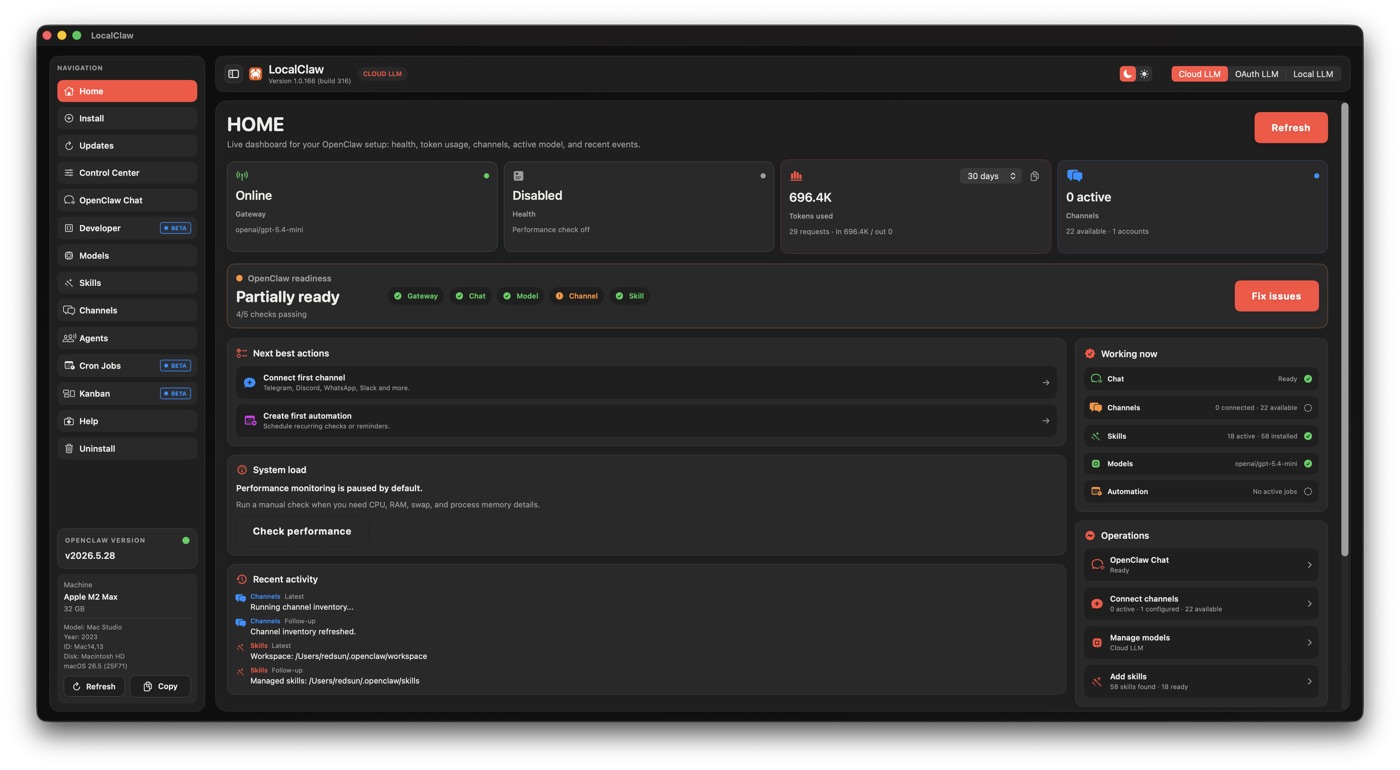
Control Center
Gateway health, CPU/RAM, tokens, readiness and repair actions.
A native control center for OpenClaw. Install once, manage local models, agents, channels, cron jobs and Kanban work from your Mac.
Apple-notarized DMG. $49 one-time. No subscription. Installer downloads freely; activation requires a license key.
This is paid beta access to the native LocalClaw app. The free web model recommender stays free.
LocalClaw gives OpenClaw a macOS control surface: setup, health, models, channels, agents and scheduled work in one place.
Gateway health, CPU/RAM, tokens, readiness and repair actions.
Switch between local, cloud and OAuth LLM modes cleanly.
Schedule OpenClaw jobs and see what runs, when and with which agent.
Create assistants, route work and keep model context visible.
Organize tasks across backlog, ready, doing, review and done.
Beta workspace tools for local chat, integrations and channels.
The free website helps you choose models. The paid app helps you operate OpenClaw locally from macOS.
Browse the LLM and TTS/ASR catalogues, filter by RAM, use case and hardware, then install manually.
Find my modelGet the native control center with guided setup, activation, update flows, model operations and email support.
Get LocalClaw - $49$49 one-time. Beta lifetime access. Apple-notarized DMG. No subscription.